View posts and updates
See your child's daily posts, today's homework, and the morning schedule on the School tab.
Your school shares daily moments and announcements as posts — photos, notes, events, and audio. You'll find them on the School tab.
Steps
- Tap the School tab in the bottom navigation. The header reads Highlights & more.
- At the top you may see a morning schedule for your child and a Today's Homework card.
- Scroll down through the posts feed.
- Tap any post to open it; tap a photo to view it larger, or press play on an audio post.
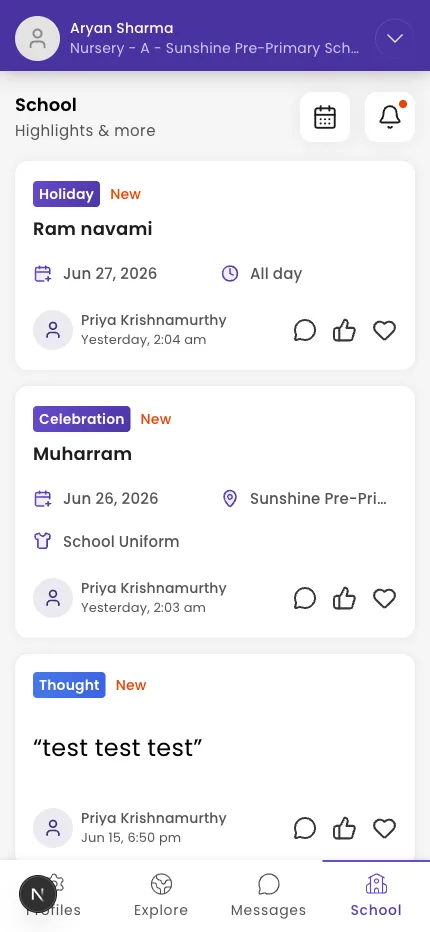
Tip: The calendar icon and bell icon in the header open your calendar and your notifications.
What if it doesn't work?
- You see "No Updates." The school hasn't posted yet, or your child's enrolment isn't approved yet — see Enroll your child in a school.
- A photo or audio won't load. Check your connection and pull down to refresh.
- You're missing posts you expected. Check your alerts are on — see Manage your notifications.
Was this helpful?
Related articles
Last updated 2026-06-26