See the calendar and events
Open the calendar from the School tab to find events, holidays, and reminders.
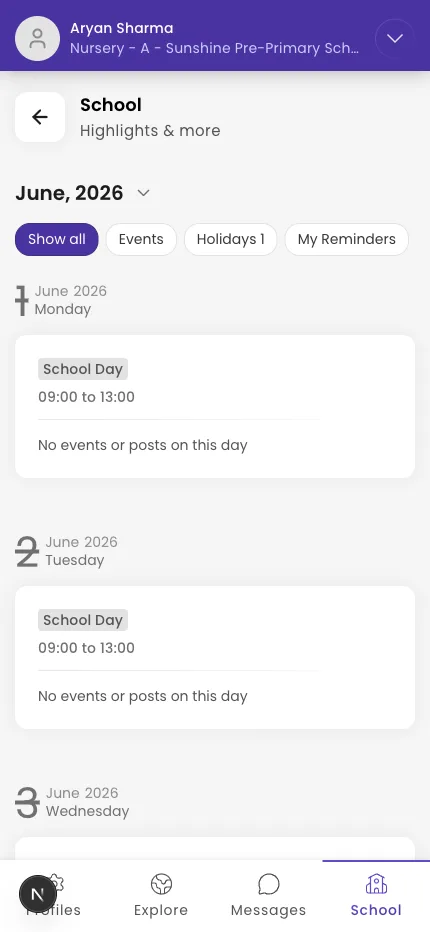
The calendar shows your school's events, holidays, and reminders. You open it from the School tab.
Steps
- Go to the School tab.
- Tap the calendar icon in the header.
- Use the filter tabs to switch between All, Events, Holidays, and Reminders.
- Tap a day to see its details, or use the arrows to change month.
Tip: Events the school marks as important stand out so you don't miss them.
What if it doesn't work?
- You see "No Days." There's nothing scheduled in the month you're viewing.
- An event changed. Pull down to refresh to load the latest.
Was this helpful?
Related articles
Last updated 2026-06-26