Message your child's teacher or school
Reach your child's teachers through the per-child group chat, or message a school admin directly.
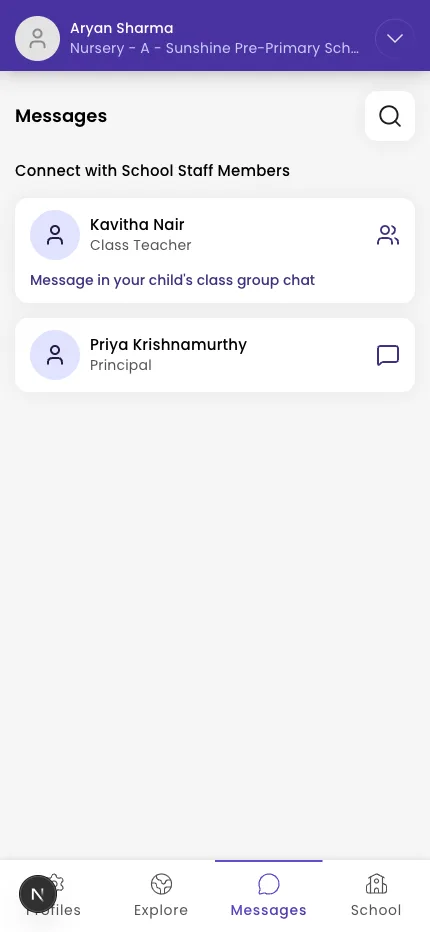
Use the Messages tab to reach your school. Teachers are reached through a group chat for your child (so the right staff all see your message); admins/principals can also be messaged one-to-one.
Steps
- Tap Messages in the bottom navigation.
- Open a chat under Recent Chats, or tap the search icon and type a name to find someone under Connect with School Staff Members.
- If you have more than one child, pick the child on the Choose a child screen to open that child's group chat.
- Type your message and tap send. Use the paperclip to attach a photo or file.
Tip: The members pill at the top of a group chat shows which staff are included.
What if it doesn't work?
- Your inbox is empty. You'll see "Inbox is empty" until you start a chat — tap search to find a staff member.
- You can't find a teacher to message 1:1. Teachers are reached through your child's group chat, not direct messages. Direct (1:1) chats are with admins/principals.
- A message won't send. Check your connection — it will send once you're back online.
Was this helpful?
Related articles
Last updated 2026-06-26